
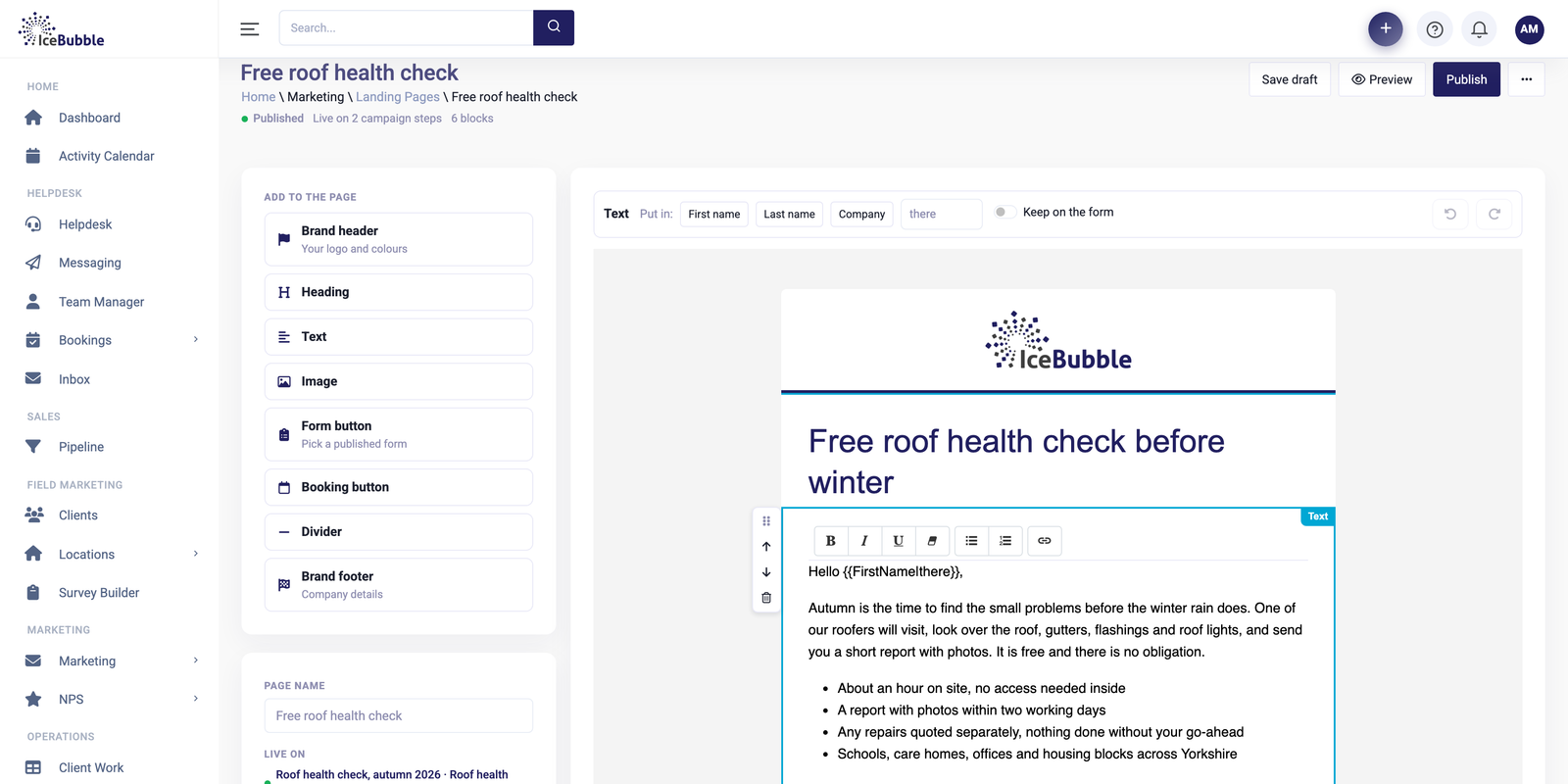
Landing pages and email
Campaign pages, emails and surveys in your own brand, built from blocks, with no web designer needed.
More on landing pages and emailIceBubble CRM
Plan a campaign, work through the call list with the script and the contact in front of you, log each outcome in a click and book meetings as you go.
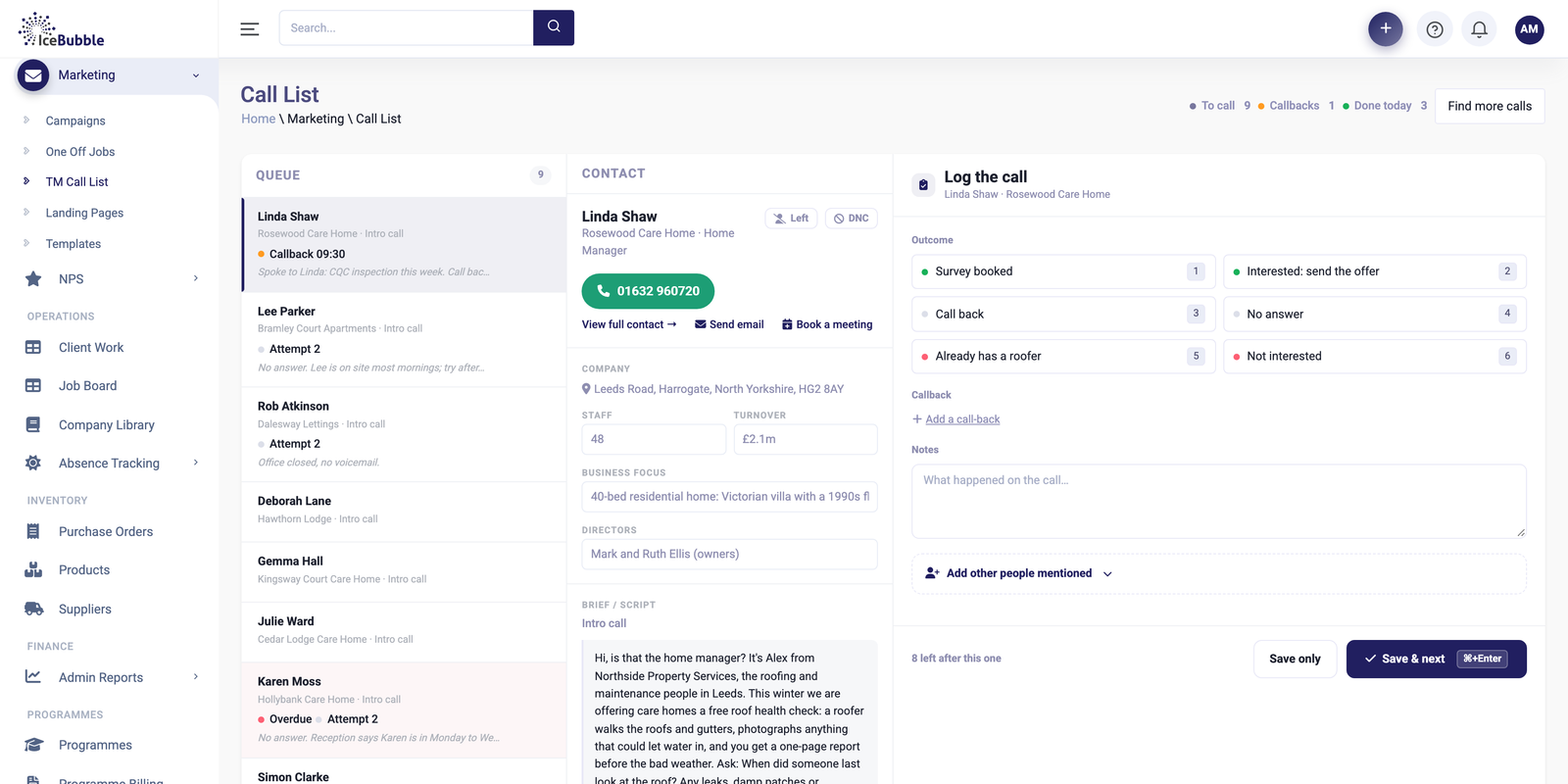
Most call campaigns start life as a spreadsheet. Two people ring the same number, callbacks end up on sticky notes, and at the end of the week nobody can say how many calls were made or what came of them.
Here the list, the script and the contact's record share one screen, and each outcome is logged as the caller goes.
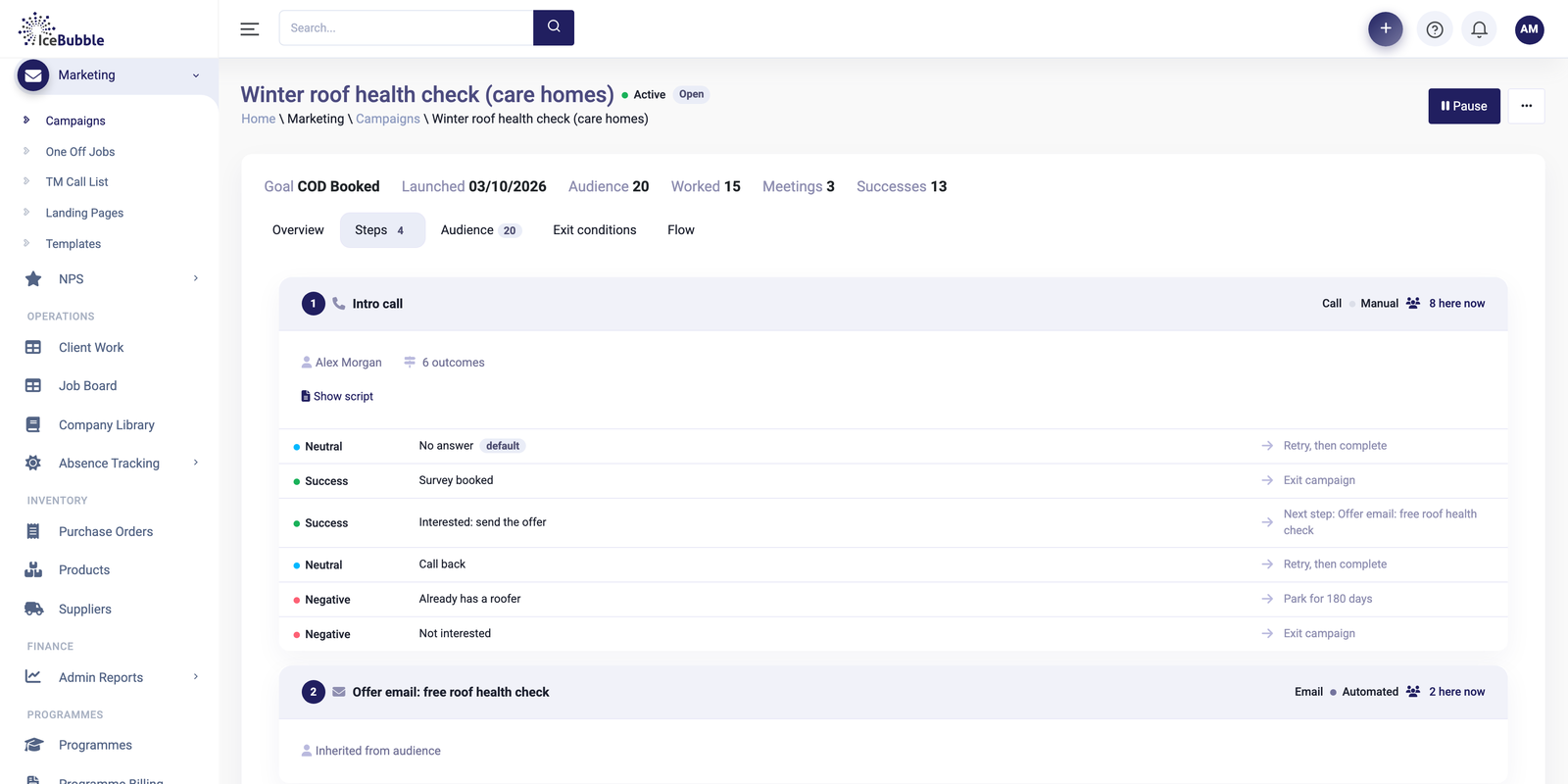
Choose who to call and what the call is for, and set the outcomes you want to record, such as survey booked, call back or not interested. Every call in the campaign is then counted the same way.
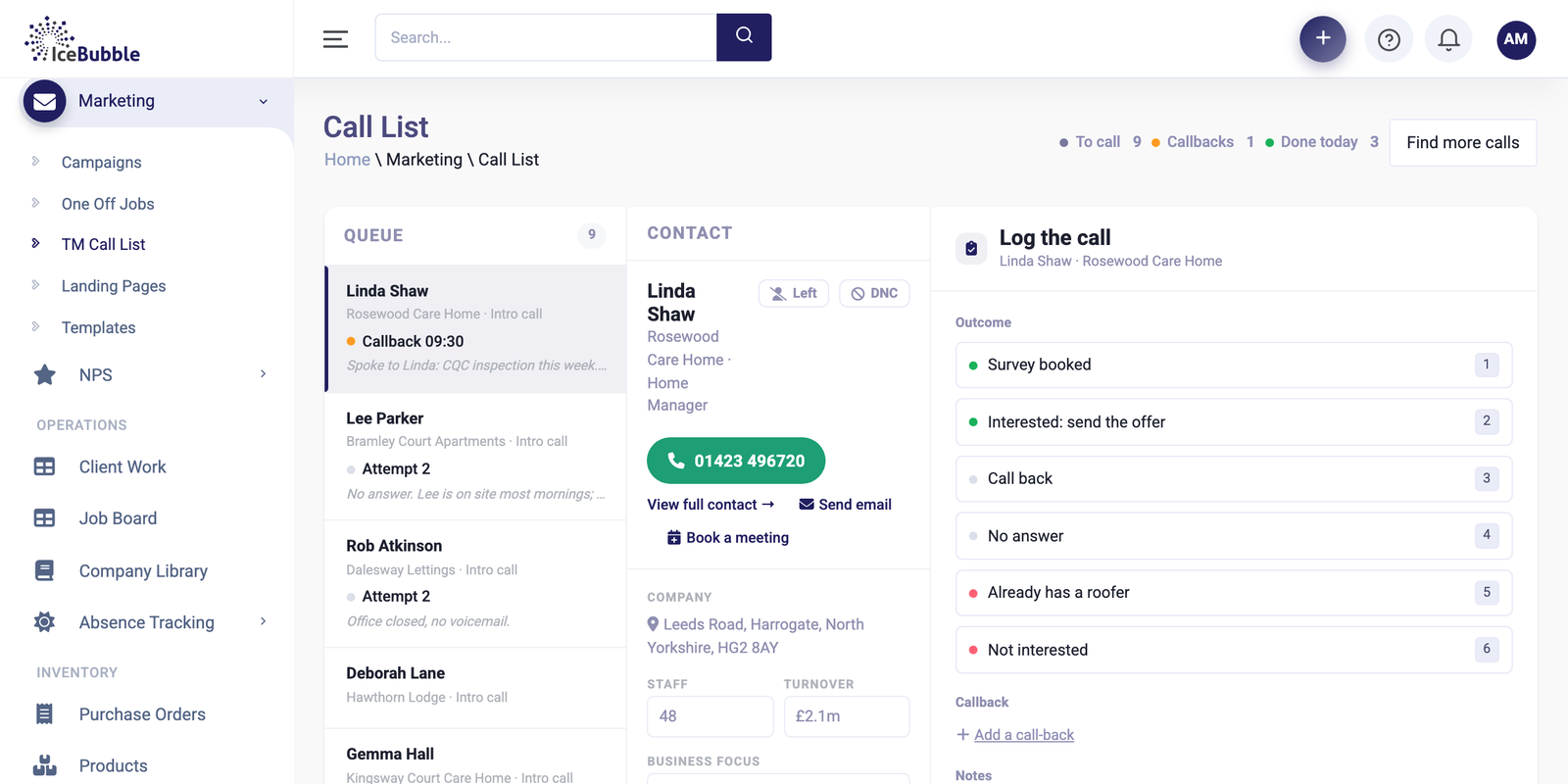
The call list sits on the left, with callbacks due and repeat attempts marked. The contact, their company details and the script sit in the middle, so the caller has everything in front of them.
Pick the outcome, add notes, set a callback if one is needed, and move straight to the next call. Mark people who should not be called again.
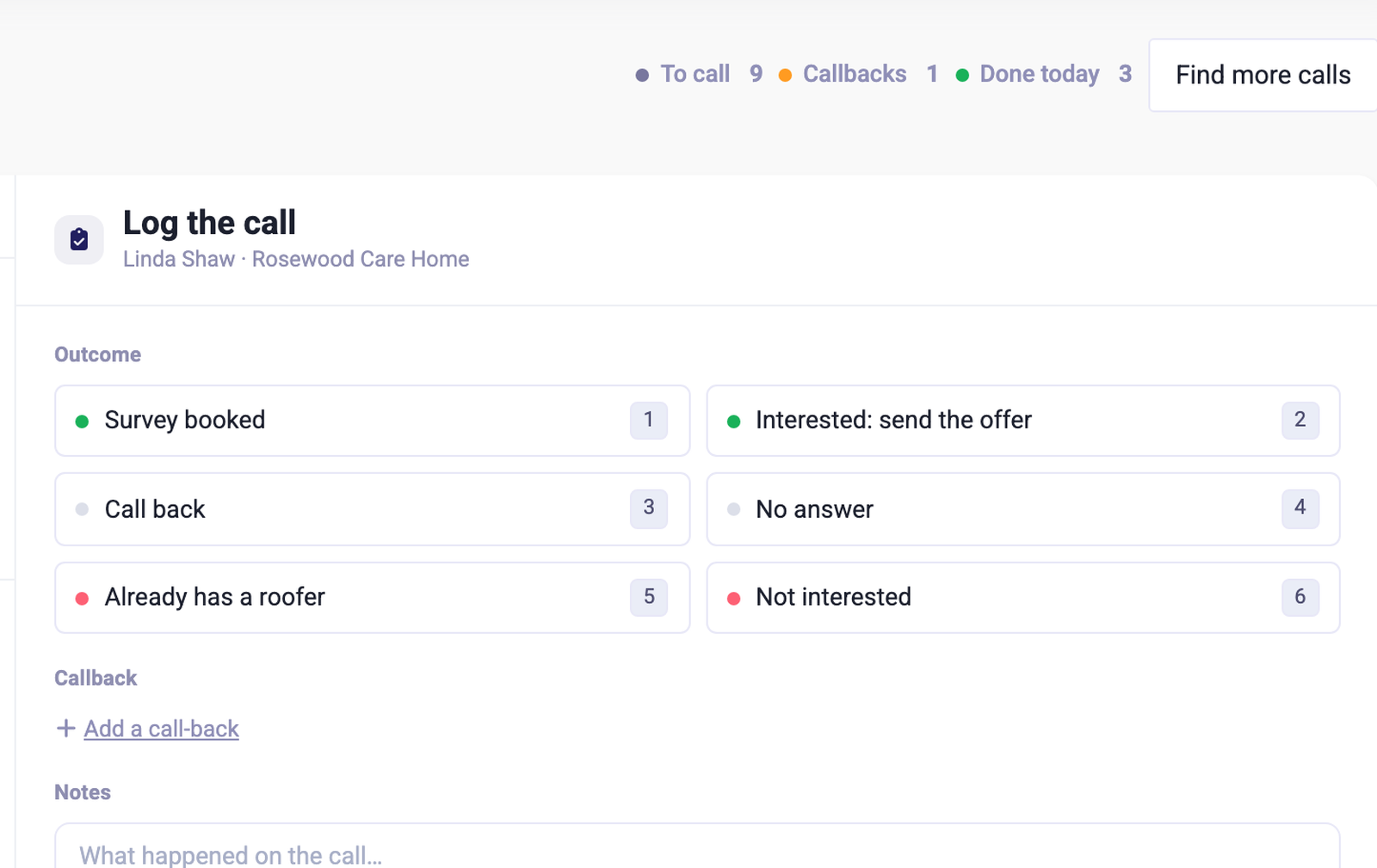
Book a meeting or send an email from the call screen while the person is still interested, and see meetings booked as they happen.
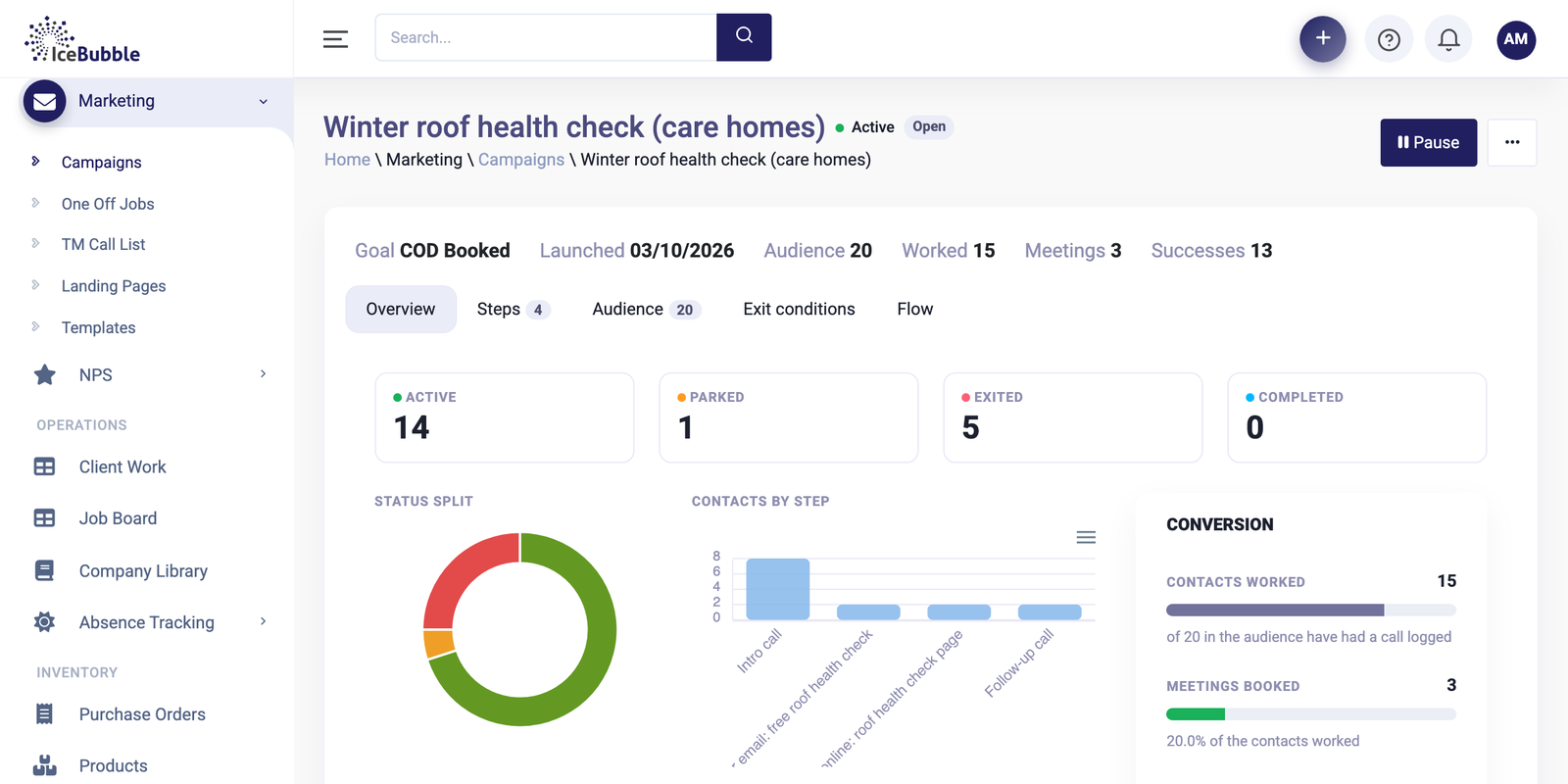
Campaign contacts are the same contacts as the rest of the CRM, so a good call can become a deal in the pipeline. Campaigns can also send landing pages and emails built in the CRM, and the results show in your reports next to sales.
Campaign pages, emails and surveys in your own brand, built from blocks, with no web designer needed.
More on landing pages and email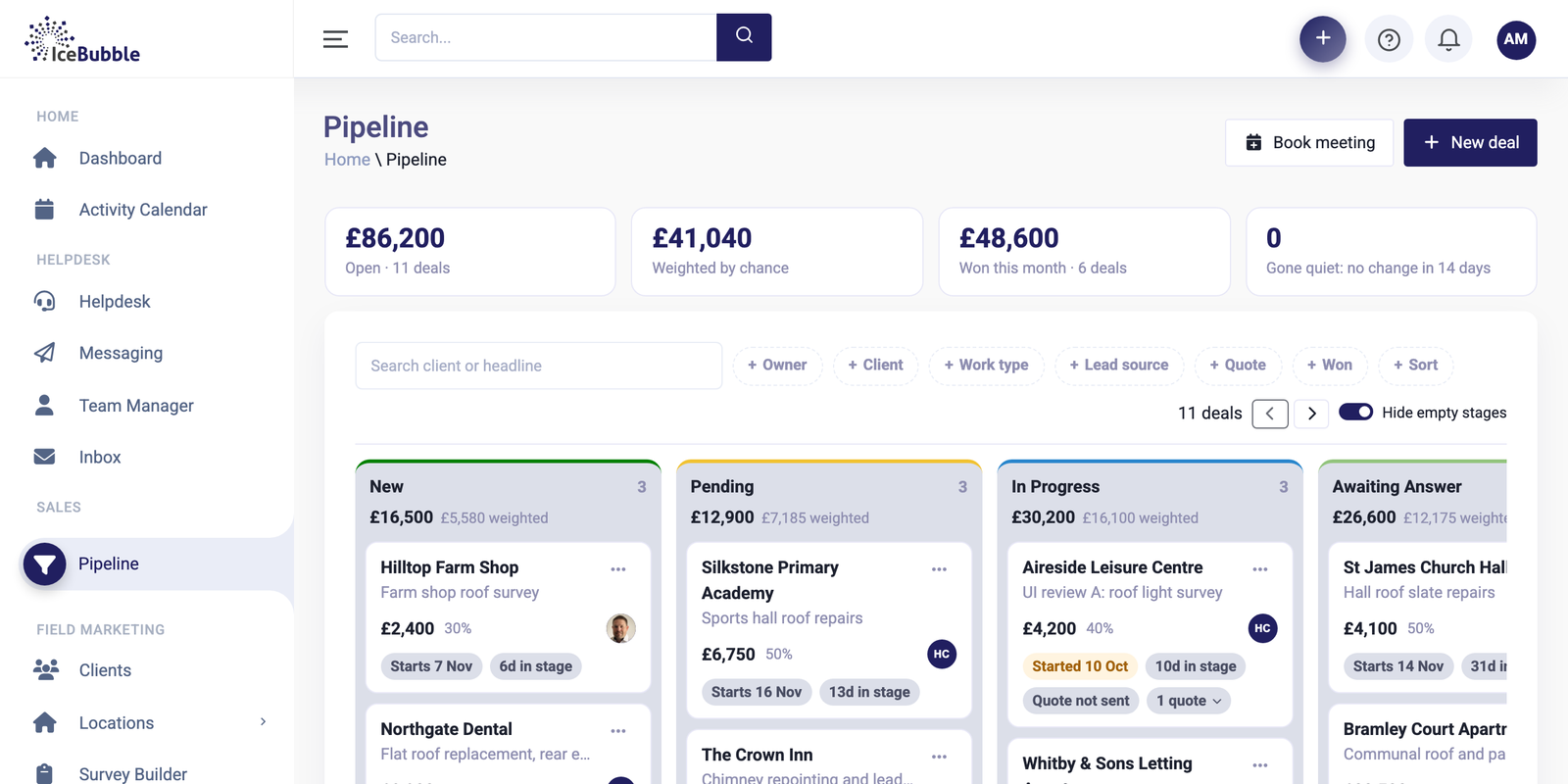
Deals as cards by stage, quotes and deposits from the deal, and won work that turns into jobs.
More on sales pipeline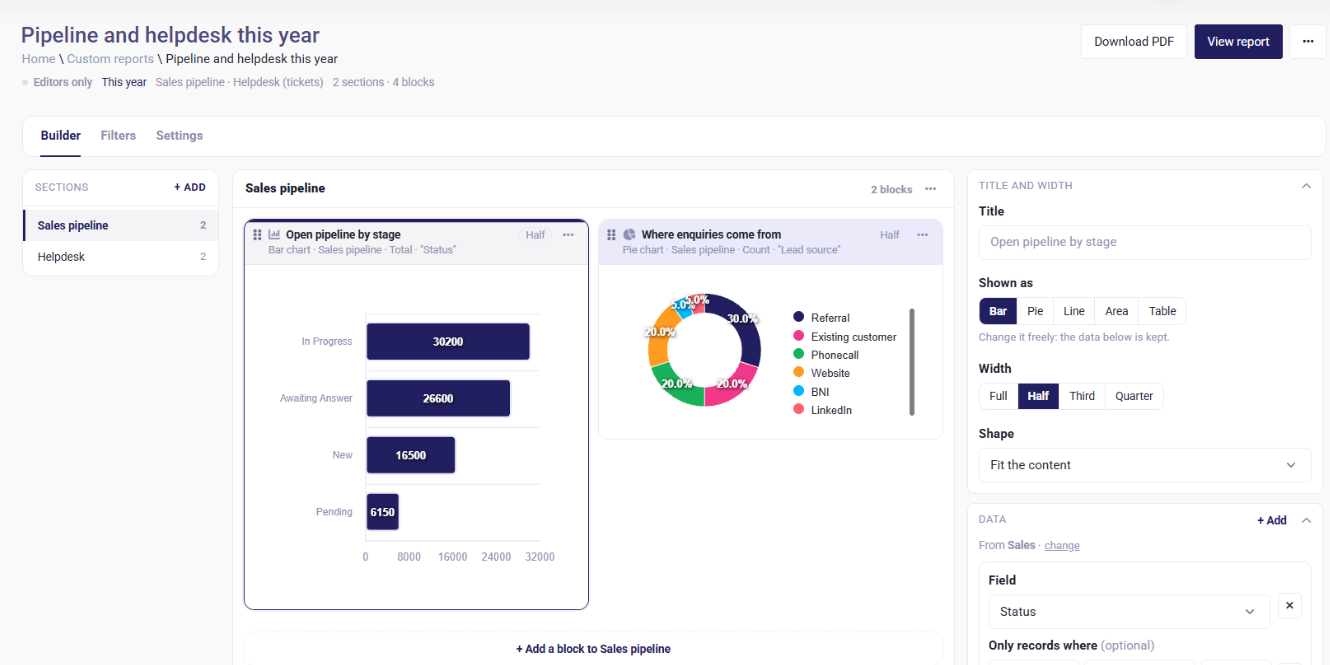
Build your own reports and dashboards, and start each day with an AI summary of sales, jobs and support.
More on reports and AI summariesYes. Calls, outcomes and meetings booked are recorded, so you can report by caller and by campaign.
Yes. Campaigns can use landing pages and emails built in the CRM. See landing pages and email.
Yes. Contacts can be marked as do not call, and they drop out of future call lists.
We'll show you the CRM using work like yours, and answer whatever you want to ask.
Prefer not to book online? Call 07766 120568 or email hello@icebubble.co.uk.