
99 / 100
Speed. Lighthouse performance on the home page, desktop. The old WordPress site scored 97.
IceBubble CRM
Pages built from blocks, published to your own domain, with every enquiry landing in your pipeline. No WordPress, no plugins, no agency retainer. This site is built that way.
What it is
Your website lives in the CRM next to your clients, quotes and jobs. You write pages from ready-made blocks (a banner, a text and picture, a tick list, cards, a contact form, a booking calendar), pick pictures from one library, and press Preview to see it. Publish puts it on your own web address.
Because the site and the CRM are one system, the contact form does not send you an email to copy into a spreadsheet. The person is saved as a contact, their company is found or made, and a deal opens in your pipeline with the page they wrote from.
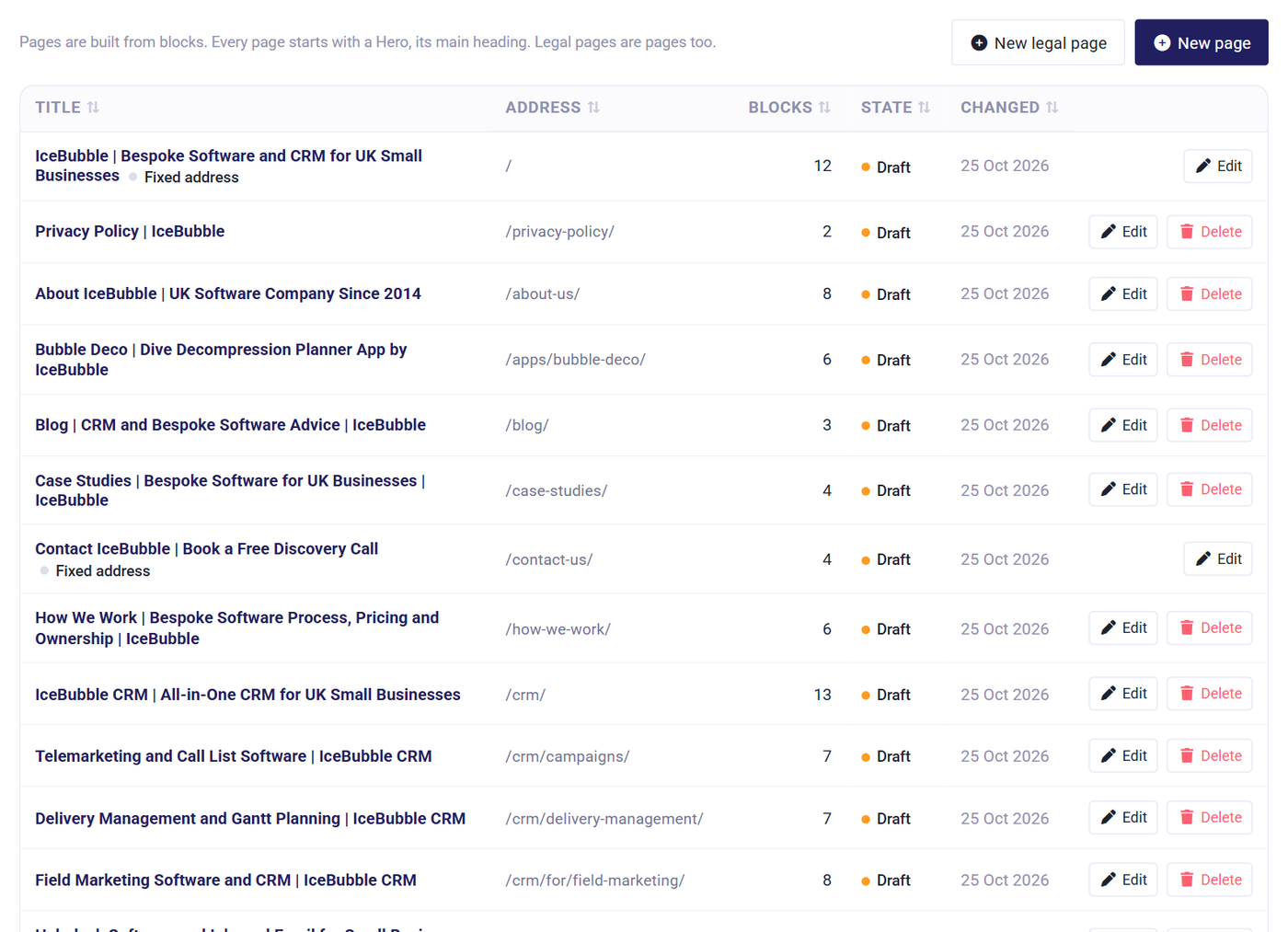
The Get live tab walks you through it in plain words. Most steps tick themselves as you go; nothing is public until the last one.
Your name, logo, colours and the legal line in the footer. The law asks for the legal line; we write it for you.
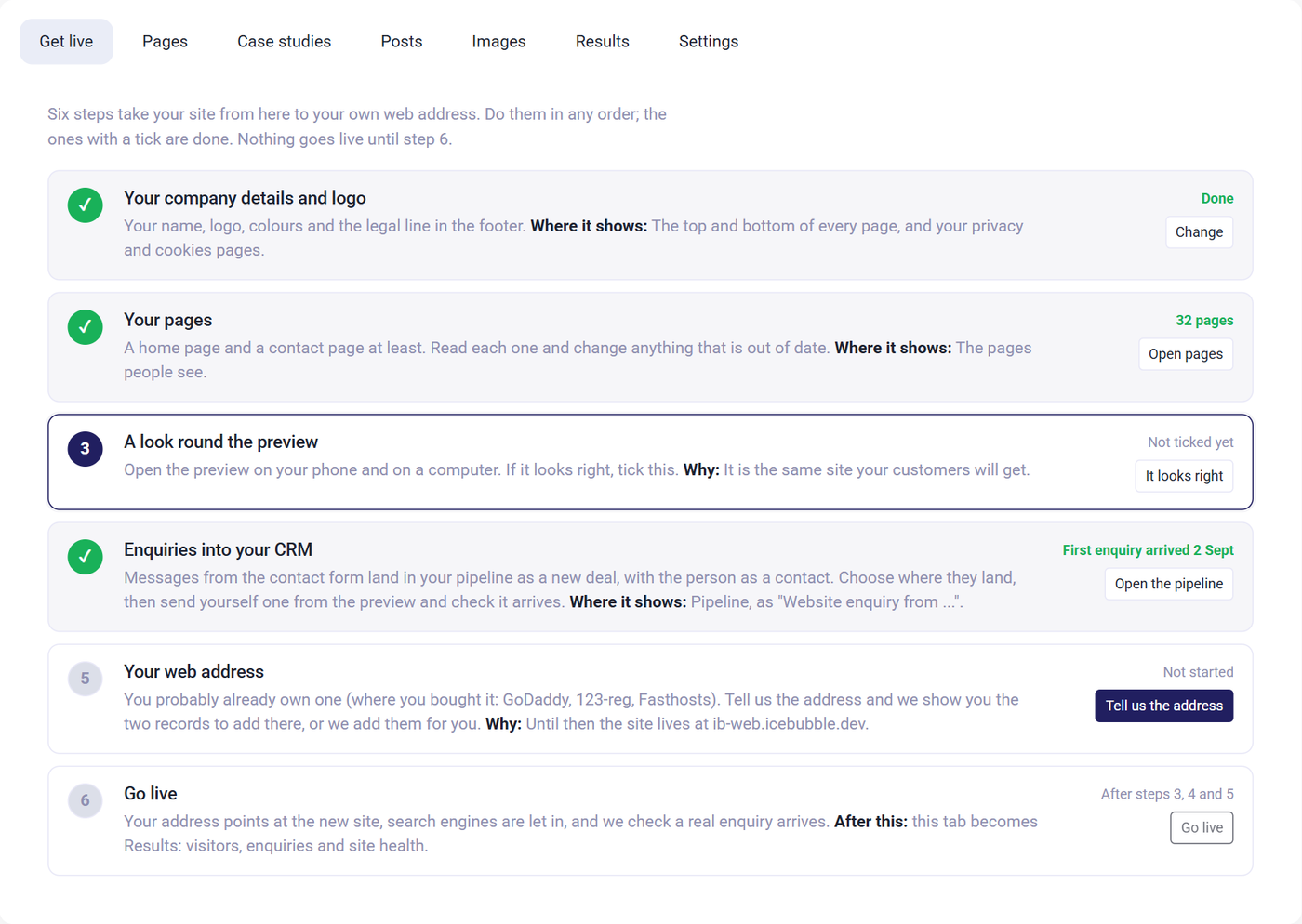
A home page and a contact page are made for you. Read each one and change anything that is out of date; add the rest when you are ready.
Open the preview on your phone and on a computer. It is the same site your customers will get.
Choose where enquiries land, then send yourself one from the preview and watch it arrive in the pipeline.
Tell us the address and we show you the one record to add where your domain is managed, or we do it for you.
Your address points at the new site and search engines are let in. The first tab becomes Results.
Settings that explain themselves
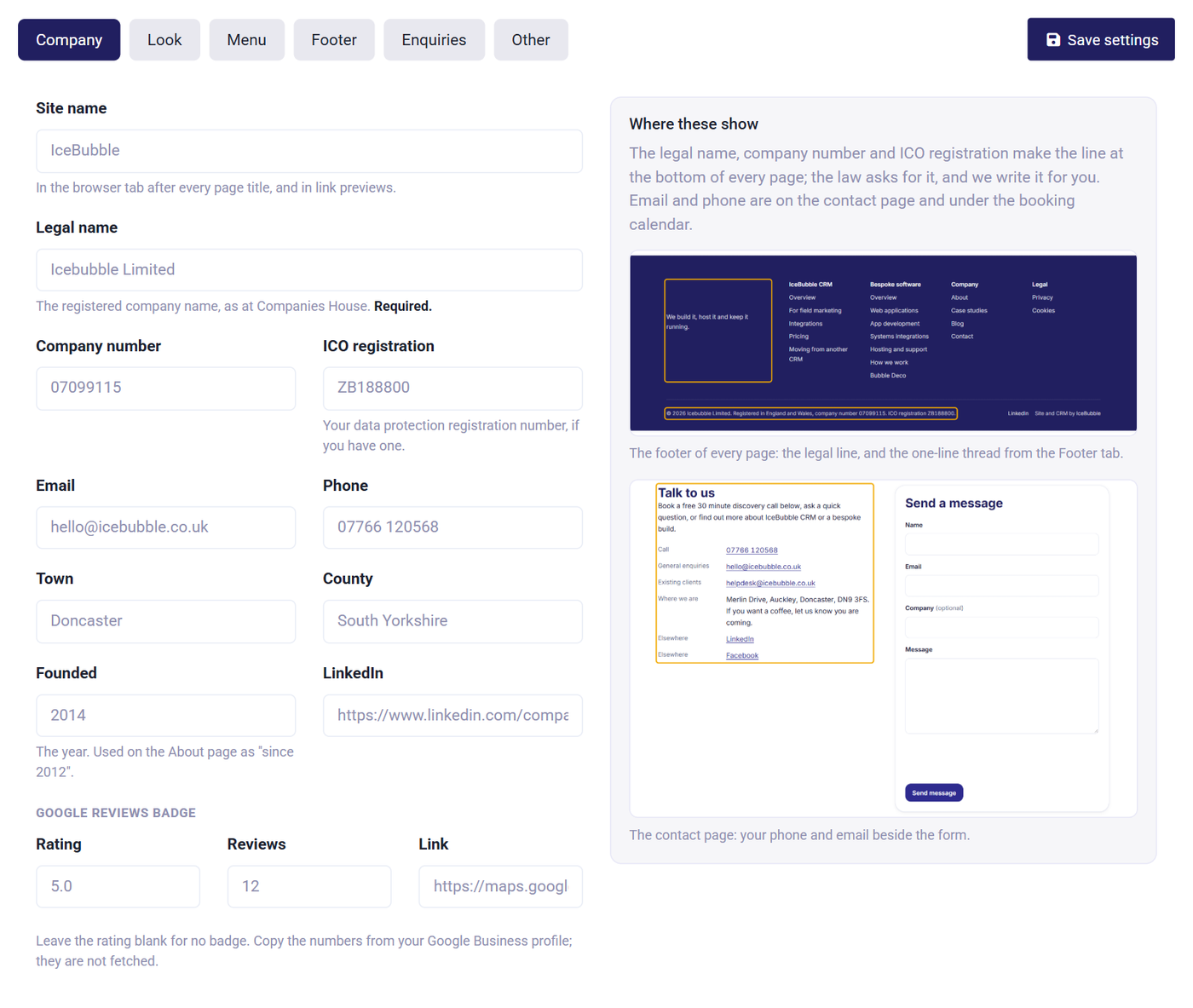
The settings are six short tabs: Company, Look, Menu, Footer, Enquiries and Other. Each one shows the fields on the left and, on the right, what they are and where they appear on your site, with a picture of the real thing outlined. You never have to guess what "brand deep" does to your footer.
Colours come from a picker, pictures from thumbnails, and the four choices for enquiries are dropdowns of your own CRM lookups. The connection between the site and the CRM is made for you.
Results
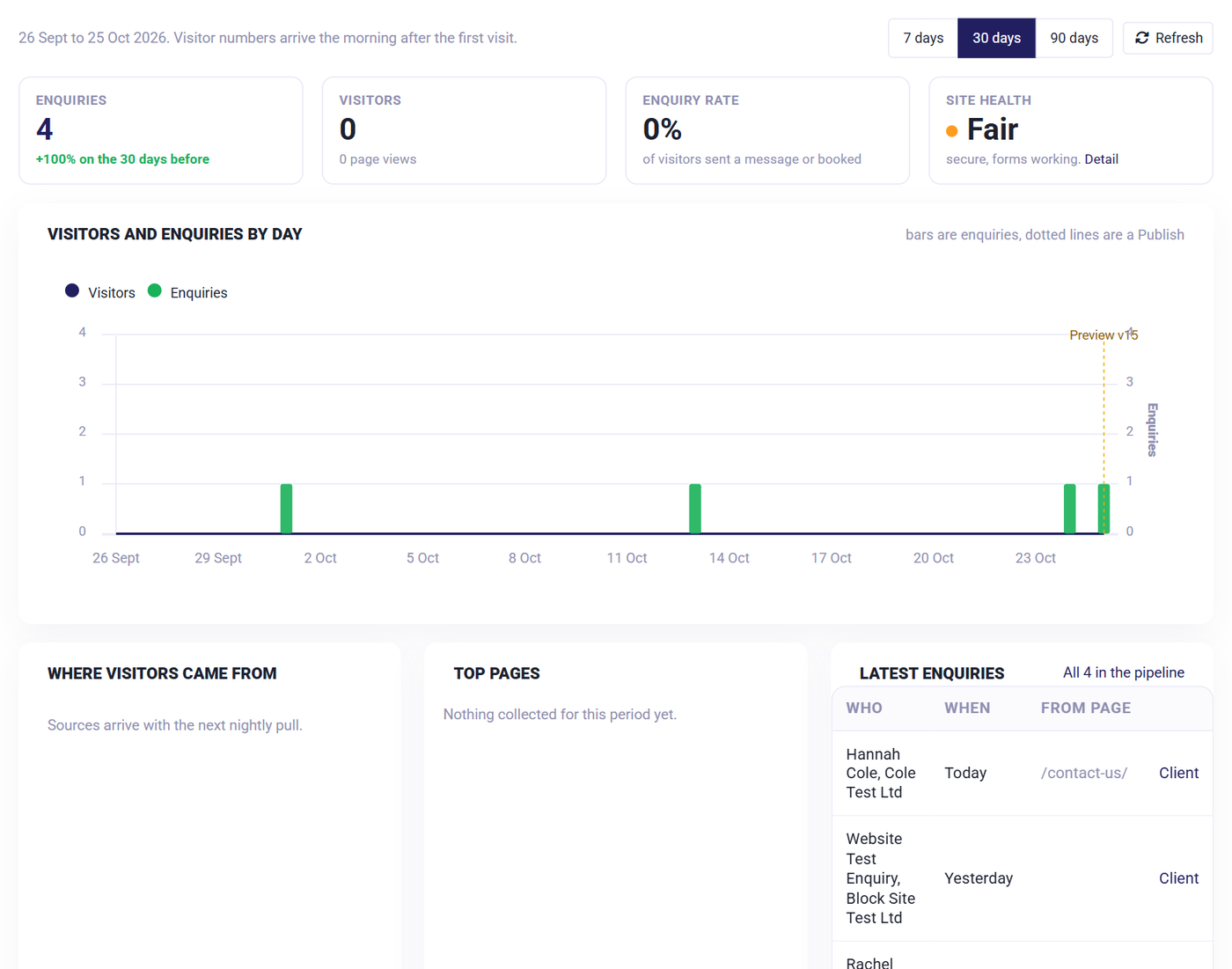
Once live, the first tab is Results: visitors and enquiries by day with every publish marked, where visitors came from, top pages, the latest enquiries with the page they came from, and a site health check that runs every night. Secure, found by search, forms working, speed measured by Google PageSpeed.
No analytics cookies and no banner. Visitors are counted at the edge, not tracked.
This site, icebubble.co.uk, is built from the CRM. Google Lighthouse, 25 October 2026, home page and three inner pages. The same engine serves every site, so the numbers hold for yours.
Speed. Lighthouse performance on the home page, desktop. The old WordPress site scored 97.
Mobile. Lighthouse performance on a phone across four pages. WordPress: 79.
Accessibility across four pages. WordPress: 94.
Technical SEO and best practice across four pages. WordPress: 99, but with none of the security headers below.
The checks a security scan or a search engine looks for, measured on this site against our old WordPress one. WordPress passed four of the fourteen.
Three honest caveats. These are measurements of our own site on the day we moved it; your pages and pictures decide your numbers. Lighthouse is a laboratory test, not visitors' real experience, which the Results tab starts showing after your first week live. And a fast site with the wrong words on it still will not sell; the blocks make the layout easy so the words get the time.
The website manager is part of every IceBubble CRM plan. The only question is who builds the first version.
Yes. At step five you tell us the address and add one record where your domain is managed (GoDaddy, 123-reg, Fasthosts or whoever sold it to you), or send us the login and we add it. Your old addresses redirect to the new pages so links and search results keep working.
Nothing until you go live. We move the pages across, you check the preview, and the switch is one step. The WordPress site can be switched off once you are happy. Our own site was moved exactly this way.
Yes. Posts appear at /blog/ newest first, with topics and an RSS feed, and a band under every post invites the reader to get in touch. Case studies work the same way.
No. Every page is a list of blocks with plain fields. Change the text, pick a different picture, press Preview, then Publish. The one-hour-a-month of changes in your plan covers the odd thing you would rather we did.
No, because there is nothing to consent to. Visitors are counted at the edge without cookies, the contact form uses a spam check that needs nothing from the visitor, and the privacy and cookie pages are written for you from your company details.
Half an hour on a call: we open the website manager, build a page from your current site while you watch, and send a test enquiry into a pipeline.
Prefer not to book online? Call 07766 120568 or email hello@icebubble.co.uk.